

TL;DR:
- Choosing the right ecommerce platform directly impacts your costs, customization options, and data ownership, influencing long-term success. Improving checkout user experience can dramatically lower cart abandonment rates, significantly boosting conversion rates and revenue. Staying compliant with PCI DSS, FTC regulations, and preparing for AI-driven agentic commerce are crucial for sustainable growth and legal protection in online retail.
Running an ecommerce business has never been more promising or more complicated. US retail ecommerce reached $1,233.7 billion in 2025, accounting for 16.4% of all retail sales. Yet behind that growth sits a messy reality: cart abandonment rates above 70%, tightening payment security rules, and platforms that promise simplicity but often deliver headaches. This article cuts through the noise to give you practical strategies on platform selection, user experience, security compliance, legal obligations, and the emerging technologies reshaping online shopping right now.
Table of Contents
- Key takeaways
- Choosing the right ecommerce platform
- Reducing cart abandonment through better UX
- Payment security and PCI DSS compliance
- Shipping obligations and customer rights
- AI personalisation and agentic commerce
- My honest take on what actually moves the needle
- How Mediaborne can sharpen your ecommerce marketing
- FAQ
Key takeaways
| Point | Details |
|---|---|
| Platform choice matters | Match your ecommerce platform to your technical ability and growth ambitions before committing. |
| UX drives conversions | Reducing checkout friction alone can lift conversions dramatically, so audit your user journey regularly. |
| Security compliance is non-negotiable | PCI DSS v4.0 requirements around script management are stricter than most merchants realise. |
| Shipping law protects customers | The FTC's 30-Day Rule carries real consequences; proactive communication protects your reputation. |
| AI is arriving fast | AI-driven personalisation and agentic commerce are already reshaping ecommerce expectations for buyers. |
Choosing the right ecommerce platform
The platform decision is the one that quietly determines everything else: your running costs, your developer dependency, your ability to customise, and how much of your own data you actually own.
Shopify and WooCommerce remain the dominant choices in 2026, but they represent genuinely different philosophies rather than simply different price points. Shopify is a hosted solution. You pay a monthly fee, and Shopify handles hosting, security patches, and uptime. The trade-off is that you operate inside their ecosystem. Customisation has limits, transaction fees apply unless you use Shopify Payments, and migrating away later is more painful than most merchants anticipate.
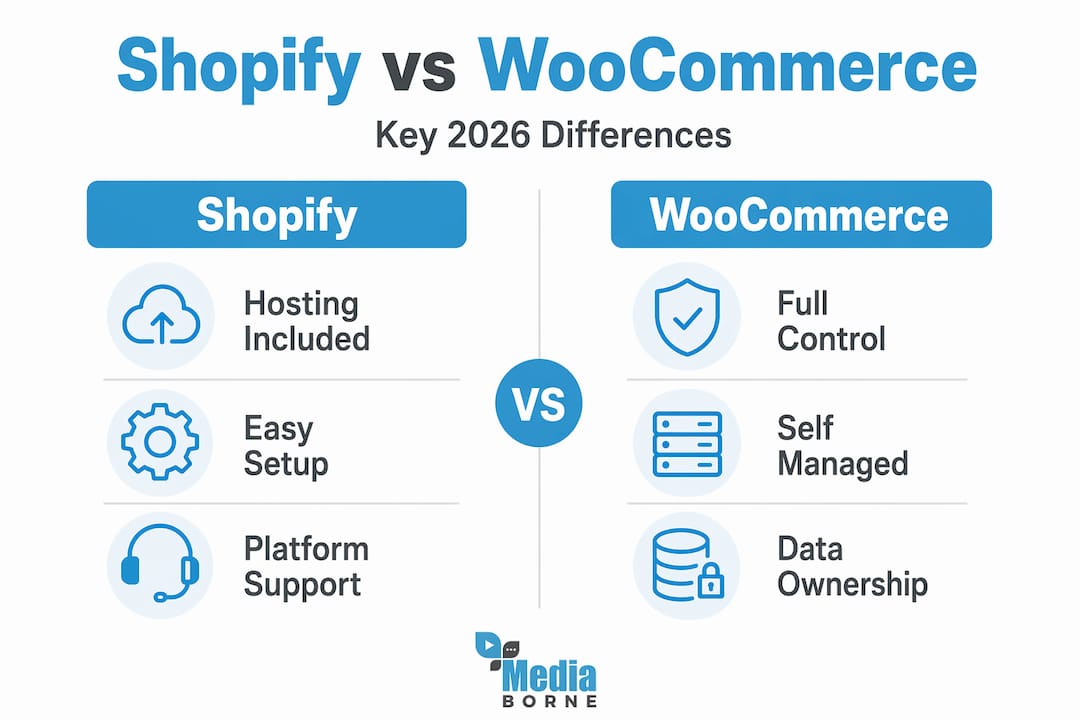
WooCommerce sits on WordPress and gives you full infrastructure control. You own the data, you choose your hosting environment, and there is no ceiling on what you can build. The cost is ongoing technical maintenance. Plugins need updating, hosting needs managing, and when something breaks, you or your developer fix it.
| Feature | Shopify | WooCommerce |
|---|---|---|
| Hosting | Included | Self-managed |
| Technical maintenance | Minimal | Significant |
| Data ownership | Limited | Full |
| Customisation | Moderate | Extensive |
| Monthly costs | Predictable subscription | Variable (hosting + plugins) |
| Best for | Beginners to mid-market | Technical teams or agencies |
Neither option is universally better. A solo founder launching their first product catalogue will almost certainly do better on Shopify. An established brand with complex product configurations and an in-house development team will likely find WooCommerce worth the overhead.
Pro Tip: Before choosing a platform, list the three features your business cannot operate without. Then verify those features are native, not reliant on a paid third-party plugin. Plugin dependency creates fragility that compounds over time.
Reducing cart abandonment through better UX
A 70.19% cart abandonment rate is the industry average. That means roughly seven out of ten people who add something to their basket leave without buying. Good UX design can increase conversions by up to 400%, which makes it the highest-return investment most ecommerce businesses are undervaluing.

The most common culprits behind abandonment are not dramatic design failures. They are small, accumulated friction points that erode buyer confidence. A checkout that requires account creation. A page that loads in four seconds on mobile. A delivery cost that only appears at the final step. Any one of these is enough to lose a sale.
Here are the UX problems most likely to cost you conversions, and the fixes that work:
- Forced account creation. Offer guest checkout as the default. Prompt account creation after the purchase is complete, not before.
- Slow page load times. Compress images, reduce JavaScript, and use a content delivery network. Every second of delay increases abandonment.
- Unclear trust signals. Display security badges, return policies, and customer reviews prominently near the buy button, not buried in the footer.
- Hidden fees. Show all costs including delivery and VAT as early as possible. Surprise fees at checkout are the single fastest way to lose a sale.
- Poor mobile experience. Mobile commerce now represents the majority of online shopping sessions. If your checkout is not designed for a thumb, you are losing mobile buyers daily.
- Complicated form fields. Use autofill-compatible fields, minimal required inputs, and clear error messages that tell users exactly what to fix.
Testing matters as much as implementing fixes. Run A/B tests on your checkout flow, not your homepage. The checkout is where money is made or lost.
Payment security and PCI DSS compliance
This is the section most ecommerce operators skip until something goes wrong. Do not be one of them.
PCI DSS v4.0 introduced requirements that specifically target ecommerce payment pages. Requirement 6.4.3 mandates that every script running on your payment pages must be inventoried, explicitly authorised, and monitored for changes. This is a direct response to Magecart attacks, where attackers inject malicious JavaScript to silently skim card details from checkout forms.
One of the most common and costly misunderstandings in ecommerce compliance is the SAQ category error. Many merchants assume they qualify for SAQ A, which covers only 22 requirements. But if your site embeds payment forms via a JavaScript SDK rather than redirecting to a fully hosted payment page, you likely need SAQ A-EP, which carries 191 requirements. That is not a small administrative difference. It is a fundamentally different compliance burden.
Here are the steps that form a solid compliance foundation:
- Audit every third-party script on your payment pages and remove anything that cannot be justified.
- Implement Content Security Policy headers using hashes or nonces to prevent unauthorised script execution.
- Enforce HTTPS across your entire site with HSTS headers, and disable TLS 1.0 and 1.1 immediately.
- Confirm your correct SAQ category with a qualified security assessor before self-certifying.
- Set up automated monitoring to alert you when scripts change or new ones appear without authorisation.
Pro Tip: Schedule a quarterly script review as a standing calendar item. Uncontrolled third-party scripts are the leading cause of PCI DSS failures on ecommerce sites, and the problem accumulates silently over months.
Shipping obligations and customer rights
The FTC's Mail Order Merchandise Rule, commonly called the 30-Day Rule, is one of those legal obligations that many ecommerce businesses discover only after receiving a complaint. The rule requires that you either ship within 30 days of receiving an order or notify the customer of the delay and offer them a free cancellation option.
That notification is not optional, and it is not informal. A compliant delay notice must include either a revised shipping date or an explicit statement that you do not yet know when the item will ship. It must also clearly explain how to cancel for a full refund. If the customer does not respond to the first delay notification, you cannot take their silence as consent to wait indefinitely. After the first delay, affirmative consent is required for any subsequent delay.
The compliance pitfalls most likely to catch you out:
- Sending a generic "your order is delayed" email without a revised date or cancellation instructions.
- Treating customer silence as agreement to a further delay.
- Failing to issue refunds promptly when cancellations are requested.
- Not training your customer service team on what the rule actually requires.
- Applying different standards to backorders versus out-of-stock items when the legal requirements are the same.
Getting this right is not just about avoiding FTC scrutiny. It is about protecting the customer relationships that power repeat purchases.
AI personalisation and agentic commerce
The next wave of ecommerce is not a distant prediction. It is already in early deployment. AI-driven personalisation and the emerging Universal Commerce Protocol (UCP) are beginning to reshape how buyers discover products, build baskets, and complete purchases, often without manually visiting a website at all.
AI personalisation in its current form means product recommendations that adapt in real time to browsing behaviour, purchase history, and contextual signals like time of day or device type. The more mature implementations go further, adjusting on-site search results, email content, and even pricing tiers based on individual customer profiles.
Agentic commerce takes this further. Under the UCP framework, AI shopping agents can interact with ecommerce APIs to handle discovery, cart management, and checkout autonomously on behalf of a buyer. A customer might instruct their AI assistant to reorder their usual coffee subscription, and the agent completes the transaction without the buyer ever opening a browser.
Steps you can take now to stay ahead:
- Integrate an AI-powered product recommendation engine into your product pages and post-purchase emails.
- Review your API documentation and consider whether your platform is structured to support agent-based interactions.
- Audit your product data quality. AI agents and personalisation engines are only as good as the catalogue data they operate on.
- Experiment with entertainment-led engagement formats on platforms like TikTok and YouTube, where AI-curated feeds are already driving purchase decisions.
My honest take on what actually moves the needle
I have worked with enough ecommerce brands to notice a pattern. The businesses that struggle are rarely struggling because of the wrong platform or because they have not heard of AI personalisation. They are struggling because they are treating security and legal compliance as separate workstreams from their marketing and UX work. They end up with a beautifully designed checkout flow that quietly violates PCI DSS, or a slick delay email that does not meet FTC requirements.
The businesses that grow sustainably think about these things together. A frictionless checkout is also a secure one. Clear operational communication with customers is also a legal requirement. When you stop separating "growth work" from "compliance work," you spend less time firefighting and more time building.
On platforms, I have seen too many founders chase the newest ecommerce platform because a competitor switched. That is exactly the wrong reason to migrate. Platform decisions should be boring and deliberate, not reactive. Pick the one that fits your actual team capability, then go deep on mastering it.
On AI, my advice is to adopt early but audit constantly. AI personalisation delivers real results, but it also introduces data governance questions that most small ecommerce teams are not equipped to answer yet. Start with a recommendation engine on your product pages. Measure it properly. Then go further.
The brands winning in ecommerce right now are not the most technically sophisticated. They are the most consistent. That is still the unsexy truth nobody puts in a growth deck.
— Stephen
How Mediaborne can sharpen your ecommerce marketing
If you are investing in your ecommerce operations but your content is not converting attention into sales, the problem is rarely the product. It is how you are presenting it.

Mediaborne produces professional video content built specifically for ecommerce brands that need to stand out on crowded platforms. From product films that drive purchase confidence to social formats designed for TikTok and YouTube shopping, the team creates content that performs. You can explore Mediaborne's video production services to see how bespoke media production fits into a broader ecommerce growth strategy. For deeper context on making video work for your sales funnel, the guide on optimising video campaigns is worth your time.
FAQ
What is the average cart abandonment rate for ecommerce stores?
The average cart abandonment rate in ecommerce is 70.19%, meaning the majority of shoppers who add items to their basket do not complete a purchase. Improving checkout UX is the most direct way to reduce this figure.
Do I need PCI DSS compliance for my ecommerce site?
Yes. Any ecommerce site that processes, stores, or transmits cardholder data must meet PCI DSS requirements. The specific compliance level depends on your transaction volume and how payment data flows through your site.
What does the FTC 30-Day Rule mean for online retailers?
The FTC's 30-Day Rule requires ecommerce businesses to ship orders within 30 days or notify customers of the delay and offer a free cancellation. Failing to do so can result in regulatory action and customer disputes.
What is agentic commerce and should I prepare for it?
Agentic commerce refers to AI agents completing purchases autonomously on behalf of buyers, using protocols like the Universal Commerce Protocol. AI shopping agents are in early deployment now, so preparing your product data and APIs is a sensible step to take in 2026.
How do I choose between Shopify and WooCommerce?
Choose Shopify for simplicity if you want managed hosting and minimal technical overhead. Choose WooCommerce if you need full data ownership and are comfortable managing your own infrastructure. Neither is inherently better; the right choice depends on your team's technical capability.